
Photomath
Google LLCEducation
4.374.58K Reviews
- Version
- 8.48.0
- Installs
- 100.00M
- Age Rating
- Everyone
Screenshots
Our Review of Photomath
 Analysis by Appyee
I like having a way to check not just whether a maths answer is right, but how a problem can be worked through. That is the useful idea behind Photomath: use a phone camera to identify a problem, then follow a worked solution. It is an education app from Google LLC, and I find it most valuable when I treat each solution as a lesson to inspect rather than an answer to copy.
A camera scan can turn a stuck moment into a starting point
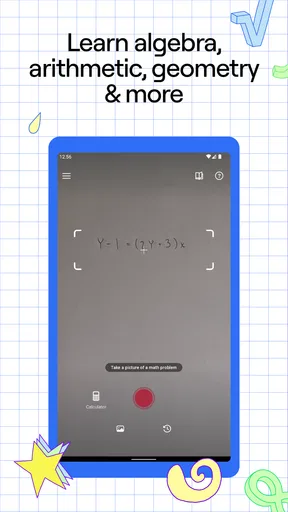
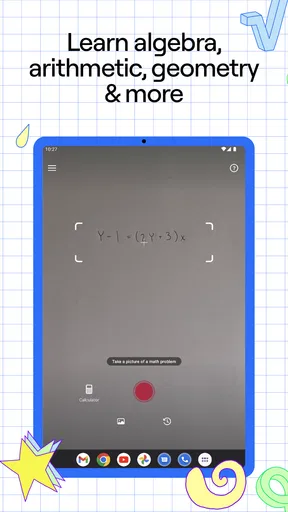
The defining capability is its camera-based problem recognition. Instead of typing a whole equation, I can frame a printed exercise and let the app interpret it. That small change matters when the obstacle is not the maths itself but getting a long expression into a usable form. Handwriting can be scanned too, although neat, clearly separated symbols give the app a better chance of reading the question correctly.
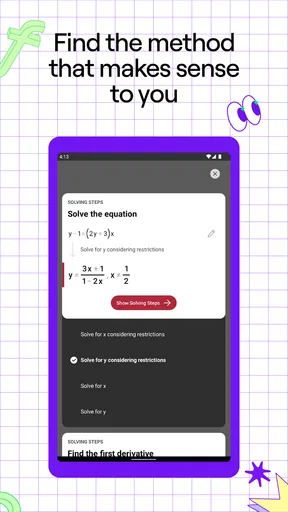
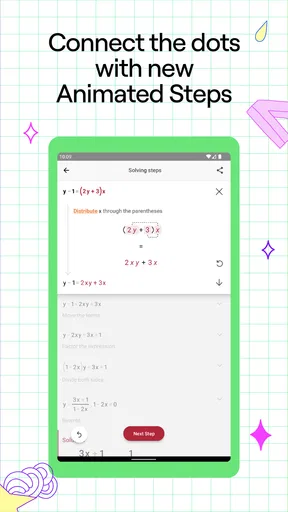
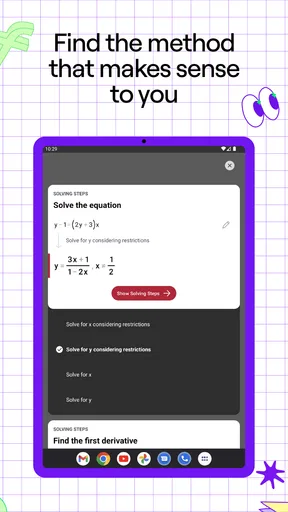
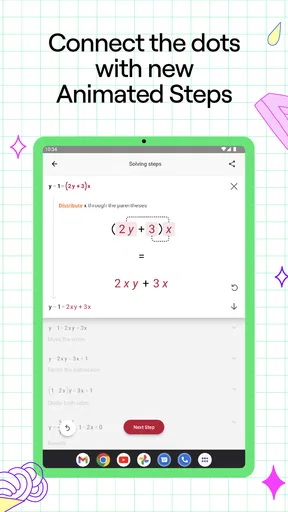
After recognition, the result is more useful than a bare number: the working is presented in steps, so I can see a possible route from the original expression to the answer. The key word is possible. A worked solution can clarify a method, but I still need to check that the scanned question matches the one on my page and that I understand why each operation is being used.
How I get more learning from a solution
My best habit is to try the problem first, even if I only manage the opening step. I then scan it and compare the app’s working with mine. If the answers differ, I look for the first step where our approaches split instead of immediately replacing my attempt with the displayed result. This makes the scan a kind of error check and keeps me involved in the reasoning.
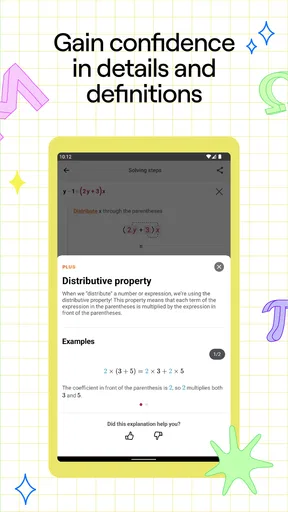
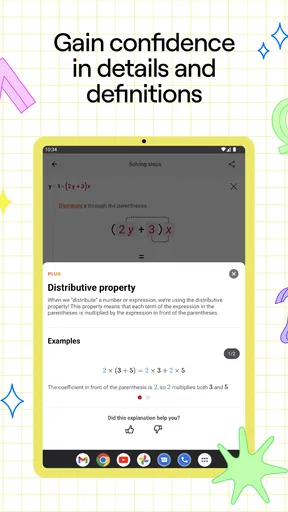
Some solution steps can be tapped for more explanation. I would use that when a transformation feels abrupt, rather than reading every explanation passively. For example, if an equation changes form and I cannot see why, pausing at that point is more useful than simply scrolling to the final answer. This focused approach is especially helpful when revising a method I have already encountered in class.
The app also lets me enter a problem manually with its calculator, which is a practical fallback when a page is awkward to frame or the expression is too long for a clean scan. I would still check every symbol before trusting the result: a misplaced minus sign or unclear exponent changes the problem, and a correct solution to the wrong expression is no help at all.
Where it fits into an ordinary study session
Imagine I am doing algebra homework at the kitchen table and keep getting a different result from the answer key. I can work through the first few lines myself, scan the exercise, and use the steps to locate the point where I went off track. If the app reads a handwritten symbol incorrectly, I can switch to manual entry rather than spend the whole session trying to improve the camera angle. Used this way, it saves time without taking the thinking out of the task.
It can also help an adult who needs to refresh a familiar skill for a practical calculation or wants to understand a child’s homework. The advantage is not that every problem becomes effortless; it is that a worked path is close at hand when a forgotten rule makes it hard to restart. I would use it as a prompt for questions—“Why does this step work?”—rather than as a substitute for a teacher’s explanation when I am confused about the underlying idea.
For a quick check, a standard calculator is simpler and less distracting. For a problem that needs a full conceptual explanation, a textbook, teacher, or lesson may be better because it can build context beyond one worked example. Compared with typing an equation into a general search, the camera workflow is convenient for printed exercises, while manual entry is a useful alternative when recognition is unreliable. The choice depends on whether I need a numerical result, a worked route, or a broader explanation.
Useful boundaries, not a replacement for practice
The camera is also the main point of friction. Poor lighting, cramped writing, or crowded notation can make recognition less dependable, so I take a moment to inspect the interpreted equation before following the steps. That check is worth doing even when the scan looks convincing: the app cannot teach me from the intended question if it has captured a different one.
There is another learning trade-off: a polished sequence can make a method look obvious after the fact. To avoid mistaking recognition for mastery, I cover the solution after studying it and try a similar exercise without help. If I cannot reproduce the method, I have seen the answer but have not yet learned the skill. For exam preparation, I would make unaided practice the main activity and use the app to review mistakes afterward.
The app covers a broad range, from arithmetic through more advanced topics such as calculus, but that breadth does not mean every classroom explanation or unusual notation will match the approach I expect. When a step seems unfamiliar, I compare it with the method taught in class instead of assuming one route is the only valid one. A tutor or course material is the better choice when I need sustained feedback, a tailored explanation, or help diagnosing a wider gap in understanding.
Who is likely to get the most from it
I would recommend it most to learners who are willing to attempt a problem before scanning, students reviewing worked examples, and adults who want a quick refresher. It is also handy for a parent who can follow a solution alongside a child, while still asking the child to explain the reasoning. Someone looking only for answers may find it tempting, but that habit makes the app less useful as an education tool.
If you prefer to solve every exercise without digital help, or if you need a personal explanation that responds to your questions, this may not be the right main resource. It works best as a companion to lessons and practice, not as a replacement for either. The interface is straightforward enough that I can focus on the equation rather than learning a complicated workflow, and the choice between scanning and manual entry gives me two ways to get a problem into the app.
Availability and value in context
It is free to install and is rated for Everyone. Optional in-app purchases range from $0.99 to $29.99 per item, so I would check what an optional purchase covers before deciding it is worthwhile; I would not assume I need one for occasional everyday help. Its average rating is 4.3 from around 3.1 million ratings, and it has more than 100 million installs, which gives a sense of how widely it is used without telling me whether it fits my own study habits.
It first appeared on February 26, 2015, and version 8.47.0 requires Android 5.0 or later. It is also available on iOS. Those details make it accessible to many phone users, but the most important practical question is still whether I will use the steps to learn. If my goal is simply to check arithmetic, a basic calculator is quicker; if I want to understand a scanned exercise, this is a more focused option.
Scan and Solve Magic
First things first, the magic begins with the camera. You simply point your phone's camera at a printed or handwritten math problem, and Photomath works its wonders by instantly recognizing the equation. I was impressed by how accurately it reads even the scribbled notes I had, turning them into digital format with a tap. It's like having a secret superpower!
Once the equation is scanned, the app doesn't just spit out the answer. Oh no, it takes you on a step-by-step journey, breaking down the problem into manageable chunks. This is a lifesaver for those of us who need a refresher on how we got to the answer in the first place. It's like having a patient tutor who never gets tired of explaining things.
Interactive Learning
What I love about Photomath is its interactive learning approach. It doesn't just hand you the fish; it teaches you how to fish. Each solution step is explained in detail, and you can even tap on certain steps to get more information. This feature is particularly helpful for students who want to understand the "why" behind each step.
The app supports a wide range of topics too. From basic arithmetic to more complex calculus, it covers a broad spectrum of math problems. This makes it a versatile tool for students at different levels and even for adults who might need to solve the occasional algebraic equation in their daily lives.
User-Friendly and Intuitive Interface
Another thing that stands out is the app's user-friendly interface. It's clean, intuitive, and easy to navigate. Even if you're not tech-savvy, you won't find yourself fumbling around trying to figure out how to use it. Everything is laid out in a logical way, so you can focus on learning rather than getting lost in menus.
In addition to scanning, you can also manually enter problems using the app's calculator feature. This is a neat option for problems that are too long or complex to fit into one camera shot. It’s like having a math Swiss Army knife!
Accessibility and Convenience
Whether you're on the bus, chilling at home, or sitting in a classroom, Photomath makes learning math accessible and convenient. Especially in those "aha!" moments when you finally understand a concept that’s been bugging you. It's kind of exhilarating to have that light bulb go off, and this app is a great facilitator of those moments.
Plus, it's available on both Android and iOS, so no matter what device you're using, you're covered. The app updates regularly, ensuring it stays relevant with the ever-evolving world of math education.
A Few Considerations
While Photomath is a fantastic tool, it's worth mentioning that it's most effective when used as a supplement to traditional learning. It’s great for practice and understanding, but relying solely on it might not be the best approach, especially when preparing for exams. It’s always a good idea to practice the old-fashioned way too!
Also, some more complex problems might require a premium subscription to access full solutions. It's something to consider if you're planning to use the app extensively, but for most everyday math issues, the free version does a stellar job.
So there you have it, folks! Whether you're a student trying to conquer your math homework or an adult dealing with life's math puzzles, Photomath is a trusty sidekick. It makes learning less of a chore and more of an adventure, turning those math frowns upside down. Give it a try, and you might just find yourself enjoying math a little more than you thought possible!
Verdict
Strengths of Photomath
- User-friendly interface for beginners.
- Instant step-by-step solutions.
- Supports multiple languages.
- Offline access available.
- Interactive graphs enhance understanding.
Limitations of Photomath
- Limited support for complex equations.
- Occasional inaccuracies in scans.
- Ads can be distracting.
- No handwriting recognition.
- Advanced features behind a paywall.
Other Releases by Google LLC
View All
Google Calendar
Productivity4.6

Google Messages
Communication4.6

Tools4.0

Google TV
Video Players & Editors3.9
Similar Picks in This Category
View All
Duolingo: Language Lessons
Duolingo4.7

Google Classroom
Google LLC2.8

Unacademy: Learn & Crack Exams
Unacademy3.2

Bible App for Kids
Life.Church4.4

Cake - Learn English & Korean
Cake Corp.4.7

Brainly: AI Homework Helper
Brainly4.5
You May Also Like
View All

Frequently Asked Questions
What is Photomath and how does it work?
Photomath is an educational app designed to help users solve mathematical problems using their smartphone's camera. Simply point your camera at a math problem, and Photomath will provide a step-by-step solution. This makes it an excellent tool for students and anyone looking to improve their math skills.
Is Photomath free to use?
Yes, Photomath is free to download and use, offering basic features without any charge. However, there is a premium version called Photomath Plus that provides additional features, such as detailed explanations and more complex problem-solving capabilities, which requires a subscription.
What types of math problems can Photomath solve?
Photomath can solve a wide range of math problems, including basic arithmetic, algebra, trigonometry, calculus, and statistics. It is particularly useful for solving equations, inequalities, and providing graphical representations, making it a versatile tool for students of various educational levels.
Does Photomath require an internet connection?
Photomath can function offline for basic problem-solving, as it does not require an internet connection for scanning and solving standard problems. However, accessing certain features, like Photomath Plus or updates, might require an internet connection. This makes it convenient for use in areas with limited connectivity.
Can Photomath help with understanding the steps to solve a problem?
Yes, one of Photomath's key features is its ability to break down solutions into clear, step-by-step explanations. This helps users understand the methodology behind solving a problem, rather than just providing the final answer, which is particularly beneficial for learning and educational purposes.
